 SCUMM
The Secret of Monkey Island
ScummVM console commands
Open the laboratory → EN ROUTE TO THE CARIBBEAN · SINCE 1999
Rooms, scripts and functions to use in the ScummVM console. Choose a game and check the edition before copying a command.
SCUMM · GrimE · ScummVM
Rooms, scripts and functions to use in the ScummVM console. Choose a game and check the edition before copying a command.
The commands on this page are documented in the engine sources. Their inclusion does not certify testing in every edition.
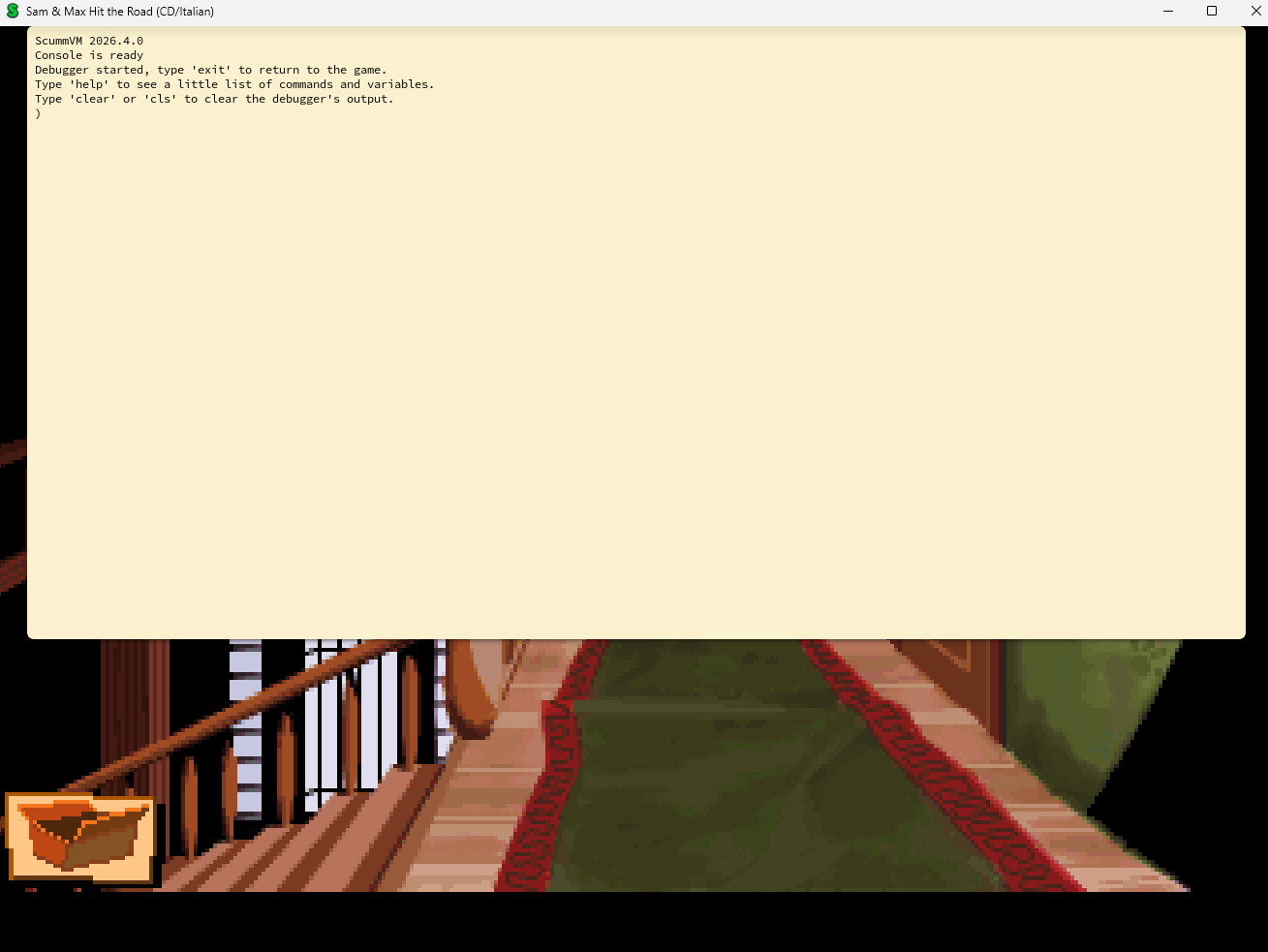
Start the game in ScummVM and press Ctrl + Alt + D. Type the command and press Enter.
Type exit to return to the game; help shows the commands available in your version.
Before changing rooms or running scripts, create a separate save: a jump may also skip story initialization.
Do not apply room and script to this game. Consult tools and references specific to the edition.
SCUMMScummVM console commands
Open the laboratory → SCUMM
ScummVM console commands
Open the laboratory → SCUMM
ScummVM console commands
Open the laboratory → GRIM
ScummVM console commands
Open the laboratory → Console and compatibility
Do not apply room and script to this game. Consult tools and references specific to the edition.
Open the laboratory → Console and compatibility
Do not apply room and script to this game. Consult tools and references specific to the edition.
Open the laboratory → Console and compatibility
Do not apply room and script to this game. Consult tools and references specific to the edition.
Open the laboratory → SCUMM
ScummVM console commands
Open the laboratory → SCUMM
ScummVM console commands
Open the laboratory → SCUMM
ScummVM console commands
Open the laboratory → SCUMM
ScummVM console commands
Open the laboratory → SCUMM
ScummVM console commands
Open the laboratory → SCUMM
ScummVM console commands
Open the laboratory → SCUMM
ScummVM console commands
Open the laboratory → SCUMM
ScummVM console commands
Open the laboratory → SCUMM
ScummVM console commands
Open the laboratory → GRIM
ScummVM console commands
Open the laboratory →