01 · Ctrl + Alt + D
Start the game in ScummVM and press Ctrl + Alt + D. Type the command and press Enter.
 EN ROUTE TO THE CARIBBEAN · SINCE 1999
Rooms, scripts and functions to use in the ScummVM console. Choose a game and check the edition before copying a command.
Lucas adventures
Rooms, scripts and functions to use in the ScummVM console. Choose a game and check the edition before copying a command.
The commands on this page are documented in the engine sources. Their inclusion does not certify testing in every edition.
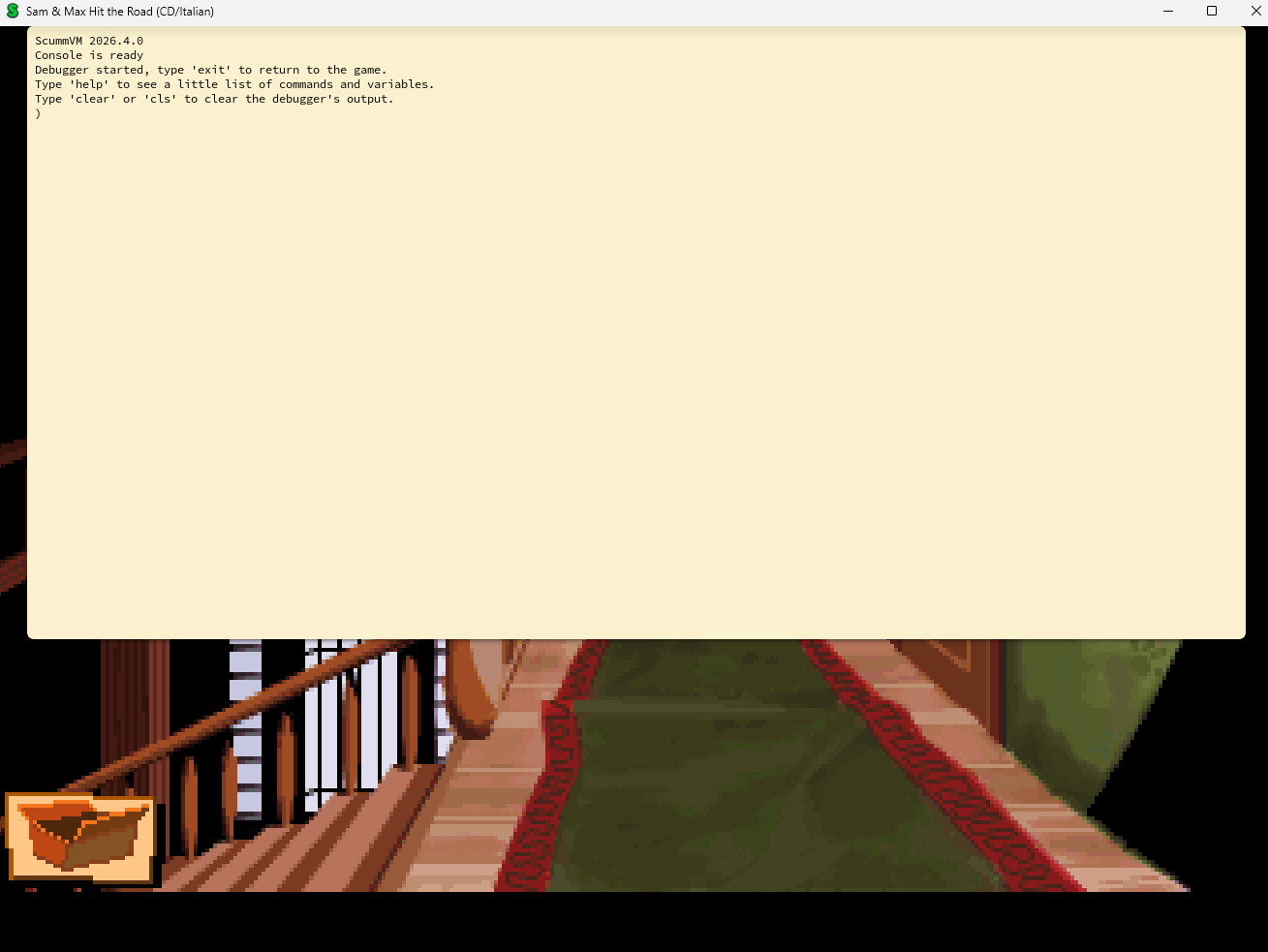
Start the game in ScummVM and press Ctrl + Alt + D. Type the command and press Enter.
Type exit to return to the game; help shows the commands available in your version.
Keys can be customised in ScummVM.
Before changing rooms or running scripts, create a separate save: a jump may also skip story initialization.
Original game; Remastered and Special Edition releases may require different tools.
helpDocumented in the official source code
roomDocumented in the official source code
scriptsDocumented in the official source code
The rooms listed here belong only to the specified edition.
The number is present in the files; the in-game jump has not been tested.
This edition’s index does not contain a readable list of room names. Use room in the console to find the current room.
Edition of the analysed files: Day of the Tentacle (CD/Italian)
scripts shows what is running, not a list of cheats. Starting a script out of context may leave the story in an inconsistent state.
room <ID>Documented in the official source code
Syntax: replace ID only with a value verified for the edition.
script <ID> runDocumented in the official source code
Syntax: replace ID only with a value verified for the edition.
Numbers not yet identified are not presented as ready-to-use codes.
Source review: 23 November 2026
No unperformed in-game tests are claimed.